Since September 2024, I’ve been working as a tour guide in the Australian Outback (blog posts about this are coming soon), and over time, I developed a desire to show my guests photos on tours. These photos usually include elements or places that are along our route but require too much of a detour to reach. For example, on the 450-kilometer drive between Alice Springs and Uluru, I talk about Coober Pedy, the opal mining capital, and I find it much more engaging when you can see photos and visualize everything more easily.
How Expona came to be
During my training weeks and occasionally when I was driving with other guides, I saw people with printed photos in a folder. That’s when the basic idea for Expona was born, because I wanted to give it a more modern look and use my iPad for it instead of an “oldschool” approach.
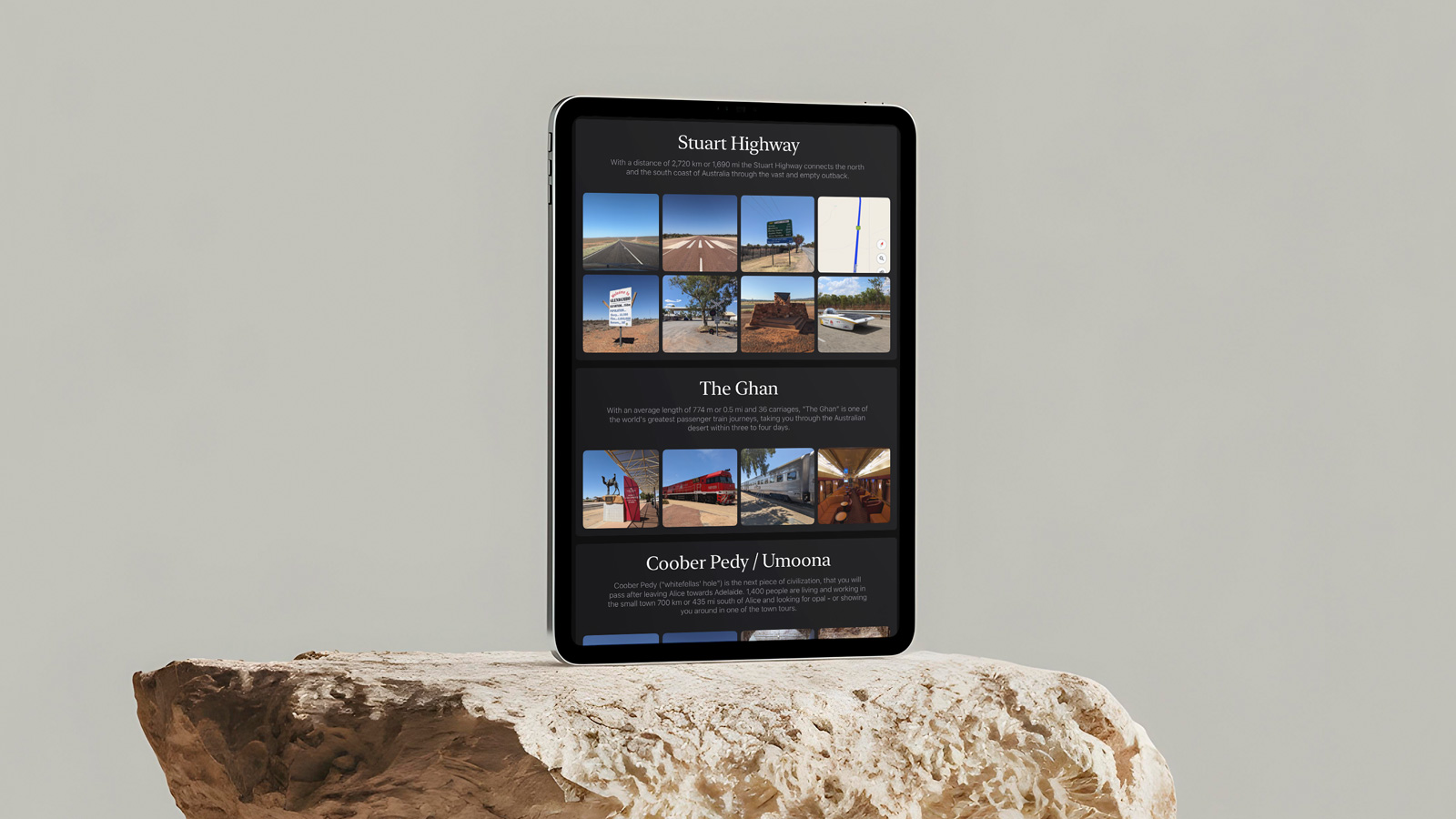
I didn’t just want to present the photos to the group in a lecture format, but also use them to fill a part of the 450-kilometer (sometimes even 800-kilometer) driving distance on a tour, meaning I wanted to be able to pass the iPad around while driving. The images needed to be self-explanatory or include an explanation, since everyone would be looking at the galleries at different times. At the same time, I was looking for a way to ensure that guests only saw these galleries and no other personal data on the iPad.
In principle, Guided Access in iOS/iPadOS fulfilled this function, since it’s impossible to leave the current app once it’s activated. Unfortunately, the pre-installed Photos app on the iPad couldn’t be used for this purpose, as all other images within the app would still be accessible and, more importantly, editable and deletable. Since I couldn’t find a simple gallery app with read-only access in the App Store, I decided to create my own…
How I use Expona on my tours
First, I had to import all the pictures I wanted to show into Expona and sort them into albums. Then, I gave each picture a title, a description, and a source if it wasn’t mine. This is all easily done in the standard editing mode, as all the buttons for adding, editing, and deleting are enabled.
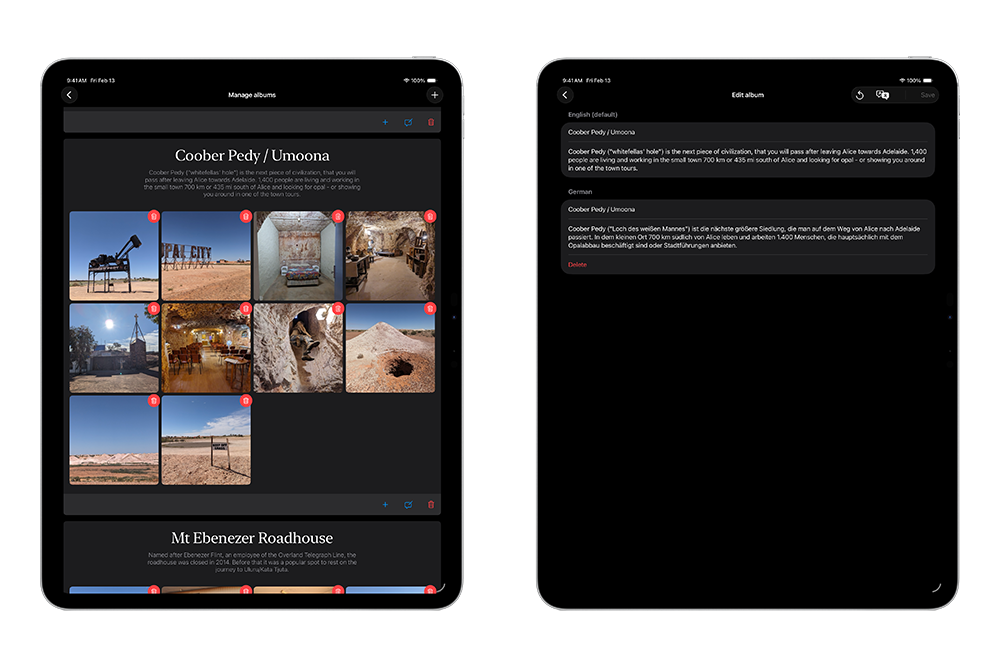
If I now activate Guided Access on the iPad, the app switches to full-screen mode. All distracting elements, like the status bar, disappear, but so do all the editing functions, and the app becomes simply a read-only gallery that can’t be exited without the unlock code or fingerprint. In this state, I can easily pass the device around on the bus, and everyone can browse through the gallery, for example, during a stretch of the aforementioned 450 kilometers where I don’t have much to say.
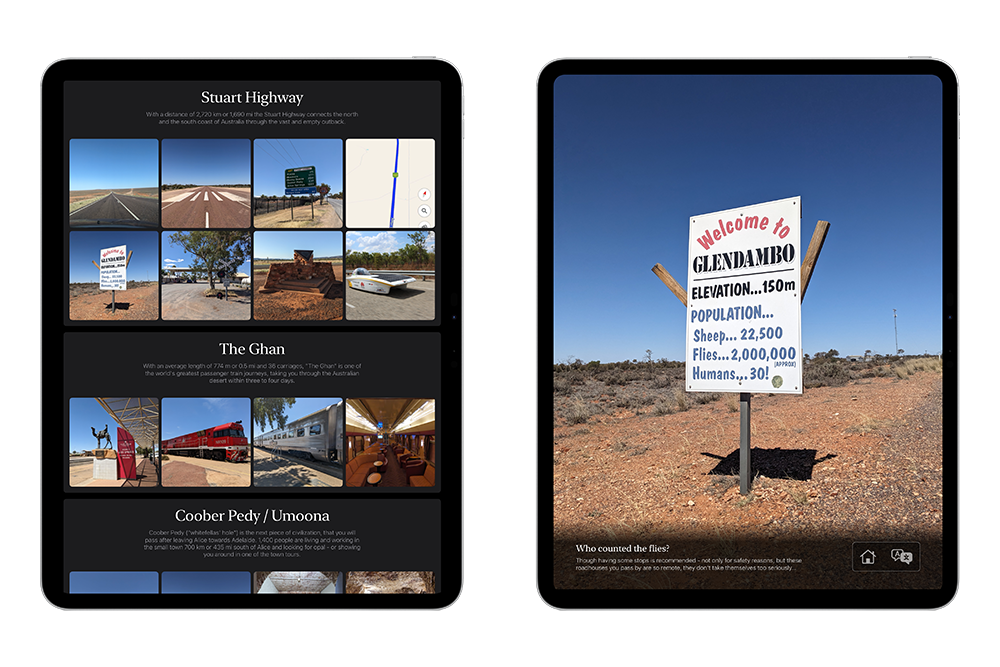
Over time, I expanded Expona to include collections, because there were times when I only wanted to showcase specific albums. Generally speaking, it works like this: As a tour guide in both Sydney and the Outback, you naturally want to show photos of the city in Sydney, while in the Outback you want photos from the Outback itself. A collection allows you to group several albums together, and before activating guided access, I always select the collection I want to view (at the very beginning of development, you could show and hide albums only, but that became quite cumbersome to change before every tour).
How you can use Expona
Now, you too can use Expona in your tours (or for other purposes, which you’re welcome to let me know about 😀 ), as the app is now available for iPad in the App Store. You can try out the app almost without restrictions and see if it meets your needs. The only limitation is the number of photos, which is restricted to ten in the free version. Purchasing the full version allows you to add unlimited photos.
This full version is intended for independent tour guides or individuals. If you would like to use the app for your company, please contact me regarding a company license. With a company license, you would also have the option of accessing the content from all your devices via the cloud on your computer and managing images and descriptions centrally.
You can find all further information about the app and the link to the App Store here 🙂